
Google has given SEO teams a new measurement surface to watch. On July 7, 2026, Google Search Central announced platform properties in Search Console, a property type for seeing how social and video posts perform on Google Search and Discover. The announcement names Instagram, TikTok, X, and YouTube content, and says teams can track search terms that lead people to that content on Search and see how audiences interact with posts. That makes social content more measurable inside a search workflow, but it does not turn Search Console into a complete social analytics suite.
The practical question is not "does social now replace SEO?" It is "which search demand is already finding our platform content, and how should we connect that demand back to owned pages, service pages, and better content planning?" That is a useful question for any team that has invested in video, short-form posts, creator content, or executive thought leadership but has struggled to connect those assets to search discovery.
What changed
A normal Search Console property measures a website or a URL-prefix property. Platform properties are different: they are built around a supported account or channel. Google's launch post says the new property type helps site owners and creators understand how social and video posts perform on Google Search and Discover. It also says the feature will become available gradually over the coming weeks, so uneven access is expected during the rollout.
The announced reports are familiar to Search Console users. Google says the Performance report can show total clicks, impressions, additional metrics, specific posts, and queries. The Insights report can show recent traffic trends, top-performing posts, and how people discover the account on Google. That is enough to create a weekly review loop, especially for brands whose audiences search for reviews, tutorials, comparisons, or product demonstrations before they reach the website.
The important boundary is equally clear. A platform property only helps with Google Search and Discover discovery. It should not be used as proof of total Instagram reach, TikTok watch time, YouTube retention, X engagement, lead quality, or revenue. Those still need the platform's own analytics, web analytics, CRM data, call tracking, ecommerce data, and plain editorial judgment.
Why this belongs in SEO
| Property type | Best use | Do not use it for |
|---|---|---|
| Domain or URL-prefix property | Website pages, technical SEO, content performance, indexing and conversion paths. | Native social-platform reach or engagement. |
| Platform property | Google Search and Discover discovery for supported Instagram, TikTok, X and YouTube accounts. | Complete social analytics, revenue attribution, or proof that a post ranks everywhere. |
| Combined review | Planning content that connects platform discovery with owned landing pages. | Replacing first-party analytics, CRM data, or editorial judgment. |
Google's July 10, 2026 guidance for generative AI features makes the wider point: from Google's perspective, optimizing for generative AI search is optimizing for the search experience, and therefore still SEO. The same logic applies here. If people discover your YouTube guide, Instagram post, or TikTok explainer through Google, that is search behavior. The asset may live outside your website, but the demand signal belongs in the SEO conversation.
This also fits the direction of Search Console reporting. On June 3, 2026, Google announced Search Generative AI performance reports, describing them as a separate view for visibility from generative AI features. Those reports focus on visibility dimensions such as impressions, pages, countries, devices, and dates. Platform properties are not the same feature, but both updates point to a broader measurement pattern: Search Console is separating more discovery surfaces so teams can see where visibility happens instead of treating every impression as one blended web number.
Google's Search profiles announcement from June 4, 2026 adds more context. Google described Search profiles as a way for publishers and creators to highlight articles, videos, and social posts, and said people can follow sources from a profile to see more content on Discover. Platform properties do not require every business to act like a creator, but they do make it harder to keep website SEO, video, social content, and Discover planning in separate reporting silos.
A useful weekly workflow
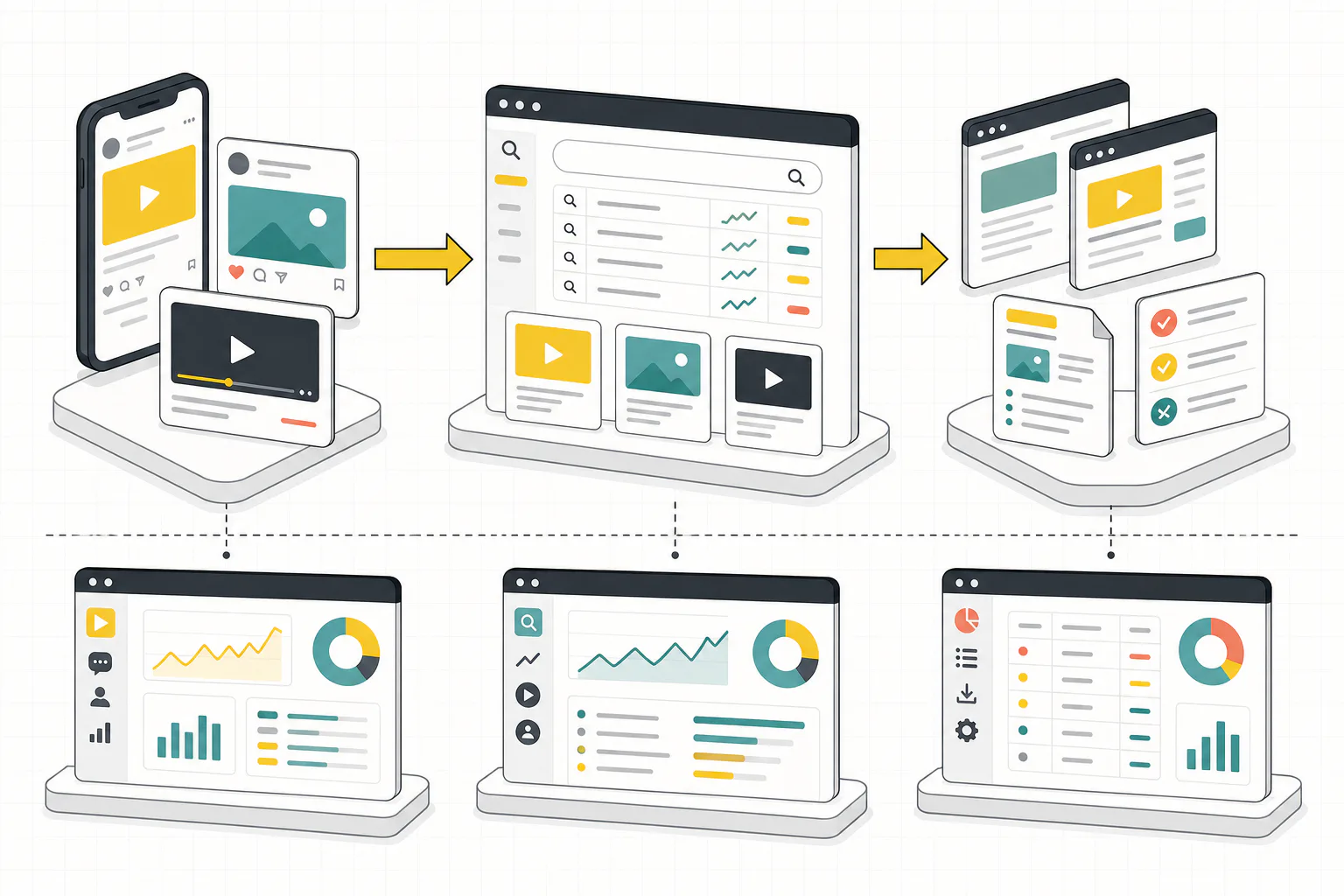
Start with availability and verification. Check whether the platform-property option is visible in Search Console for the account you manage. Because Google described the rollout as gradual, record whether access is available, which account or channel was connected, who approved the connection, and when it was verified. Do not build client reports around a feature that only some profiles can access.
Next, separate discovery data from platform engagement. In Search Console, look for the posts, queries, clicks, impressions, and trend direction that Google exposes. In the native platform tool, look for watch time, saves, comments, follower growth, retention, and engagement. Keep those two views side by side. A post can be useful in Google Search even if it is not the platform's highest-engagement post, and a viral platform post may contribute little to search demand.
Then classify the queries. Group them into branded, service, product, tutorial, comparison, local, and problem-aware buckets. The goal is not to stuff social captions with keywords. The goal is to understand where searchers are showing intent that your owned site should also answer. A recurring query that finds a YouTube tutorial may deserve a support article, a service FAQ, a case-friendly explanation, or an internal link from a relevant blog post.
Finally, turn the review into actions. Add useful findings to content briefs, service-page refreshes, internal linking tasks, and paid-search landing page notes. If a platform post answers an early-stage question, the website should give that searcher a clearer next step. If platform content is discovered for a service query, the related service page should make the offer and contact route easy to find. This is where SEO services, AI search services, and Content marketing services overlap in practice.
A realistic example
Imagine a local clinic publishes a short YouTube explainer about how to prepare for a first consultation. After platform properties become available, Search Console shows that the channel's post receives Google Search impressions for several preparation-related queries. That does not prove the video generated bookings. It does not prove the clinic ranks better because of YouTube. It does show that people search Google for the topic and that one off-site asset is being surfaced.
The SEO response is straightforward:
- Capture the demand signal. Record the query theme and the specific post that appeared.
- Check the owned destination. Confirm whether the clinic has a matching page with clear service information, location context, practitioner trust signals and a conversion path.
- Close useful content gaps. Add the topic to an owned FAQ or service-page section only when it genuinely helps prospective patients.
- Build the path forward. Link related articles and test whether the website can satisfy the intent more completely than a short post.
This is also where a technical SEO audit checklist still matters. If the owned page is blocked, slow, thin, poorly linked, or missing important service detail, a platform-property report cannot fix that. It can only reveal a useful demand signal.
Risks and bad interpretations
- Treating rollout visibility as a strategy. If the feature is not available for every account yet, do not compare one client's platform data with another client's missing data as if they were equivalent. Mark availability in the report and keep the conclusion narrow.
- Over-attribution. Search Console can show discovery and interaction data for Google surfaces that Google exposes, but it cannot prove the full customer journey alone. Avoid claims such as "this TikTok drove revenue" or "this YouTube post improved rankings" unless separate analytics and CRM evidence support them.
- Chasing hacks. Google's AI search guidance says teams can ignore tactics such as chunking content, unnecessary AI text files like llms.txt for Google Search, and inauthentic mentions. Use platform-property data to understand demand, improve real content and connect people to useful owned pages.
- Neglecting permissions. Treat a connected account like any other reporting access. Use the official flow, document ownership and remove access when people leave the business or an agency relationship ends.
How to report it to stakeholders
Keep the dashboard small. Use one section for availability and verification, one for top posts and query themes, one for website opportunities, and one for limitations. A good stakeholder summary might say: "This month, Google Search surfaced our YouTube explainers for preparation and pricing questions. We will add a clearer FAQ section to the consultation page, improve internal links from two related blog posts, and keep native YouTube engagement separate from Search Console visibility."
That type of summary is honest. It does not pretend platform properties are a ranking factor, a social analytics replacement, or a revenue report. It turns a new Search Console property into practical SEO work.
What to do next
If your business already publishes useful social or video content, check whether platform properties are available in Search Console and add the supported accounts you can verify. After that, run a four-week baseline: which posts appear, which queries trigger them, which website pages should answer the same demand, and which findings deserve content or internal-linking work.
If you want help turning Search Console data into a growth workflow, review our SEO services. For a faster starting point, Request a free audit and we will look at the search visibility signals that are already available across your website and supported content channels.