
Most AI-for-SEO workflows still have the same weak point: the model sounds confident, but it does not have the data.
You paste a Search Console export. Then a crawl export. Then a few competitor URLs. Then you ask for a diagnosis. Sometimes the answer is useful, but the workflow is fragile. The assistant only sees the slice of data you pasted, and every new audit starts with another round of copying files between tools.
MCP changes that pattern.
MCP, or Model Context Protocol, is a standard that lets AI applications connect to external systems: documentation, databases, APIs, crawlers and other tools. For SEO, the practical value is simple: instead of asking an AI assistant to guess from a prompt, you can let it query the systems where your SEO data actually lives.
That does not make the AI an SEO strategist. It makes it a better interface for data retrieval, technical checks and repetitive analysis.
The useful way to think about MCP for SEO
Do not start with "Can AI replace my SEO tools?" That is the wrong question.
Start with this: "Where do I waste time moving SEO data between tools?"
For an agency or in-house SEO team, the answer is usually obvious:
- exporting Search Console data to compare queries, pages and dates;
- opening Ahrefs or Semrush to pull competitor and keyword data;
- running Screaming Frog, exporting issues, then manually grouping them by template;
- checking documentation while writing implementation briefs;
- turning audit findings into developer tickets or client-ready summaries.
MCP is useful when the assistant can call the right tool, retrieve the right dataset, and keep the analysis tied to the project. It is not useful when it becomes a black-box "SEO autopilot".

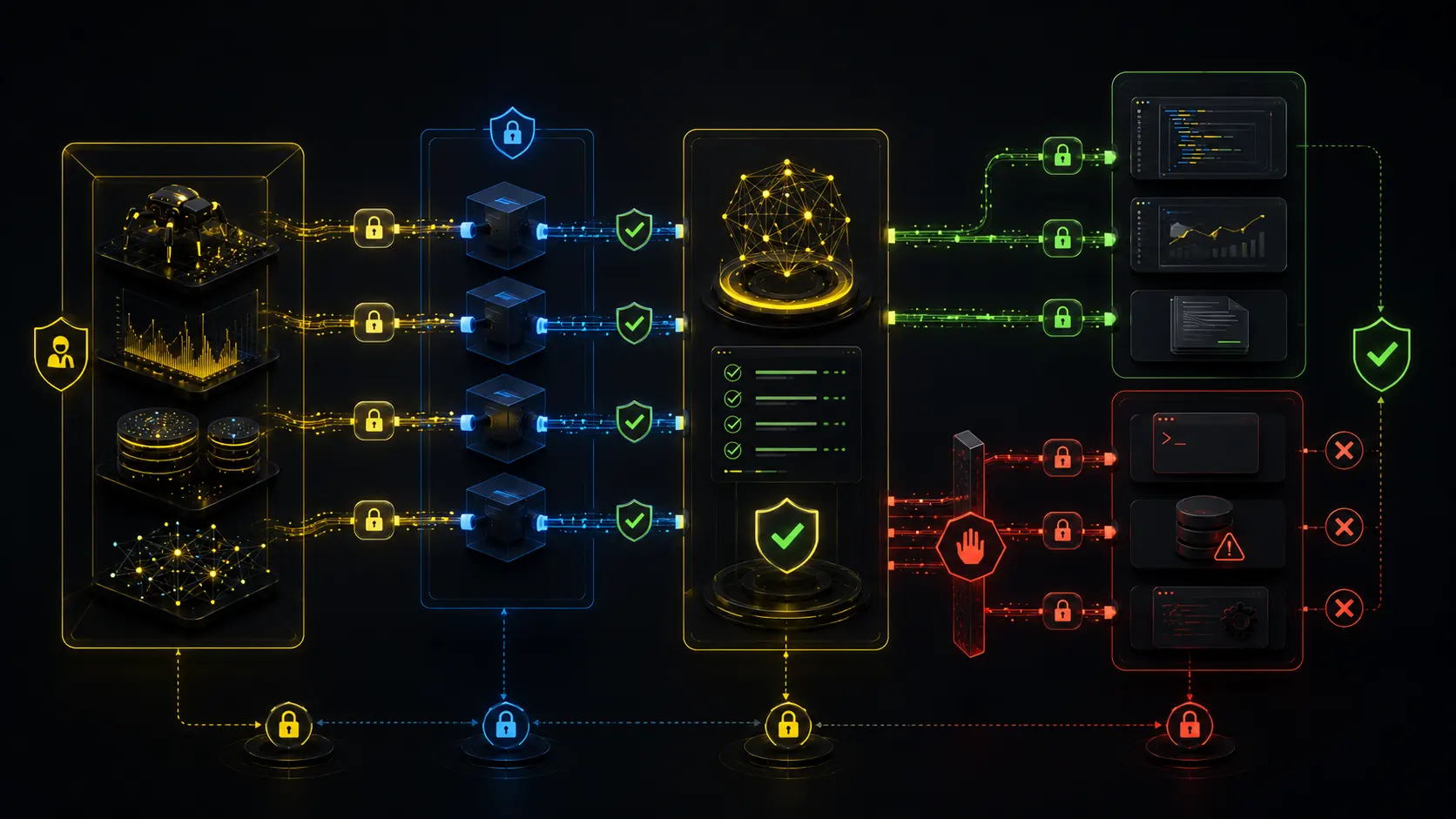
- SEO data sourcesCrawls, GSC exports, keyword data, docs
- MCP connector layerScoped read access and tool calls
- Claude Code or CodexAnalysis inside the project context
- Evidence reviewHuman checks sources, scope, and logic
- Developer ticketExamples, acceptance criteria, verification
A weak prompt is:
Audit this website and tell me what to improve.
A better MCP-driven prompt is:
Use the crawl data to group non-indexable URLs by template. Compare those templates with the last 90 days of Search Console clicks. Prioritize fixes where the affected template has commercial value or used to receive organic traffic.
That works because the model is not inventing an audit. It is processing connected evidence.
Which SEO tools are worth connecting first?
You do not need ten MCP servers on day one. Start with three layers.
1. Documentation and internal knowledge
This is the safest first step. Connect official documentation or your internal SOPs so your assistant can check the source before giving implementation advice.
For Codex, OpenAI documents MCP support in the CLI and IDE extension. A simple documentation MCP server can be added with:
codex mcp add openaiDeveloperDocs --url https://developers.openai.com/mcp
codex mcp list
For an agency, the same logic applies to migration checklists, JavaScript SEO rules, log analysis templates and client-specific constraints.
2. Market and competitor data
Ahrefs and Semrush are natural candidates because they hold the off-site and keyword data that SEOs already use daily.
Ahrefs documents this Claude Code command:
claude mcp add ahrefs https://api.ahrefs.com/mcp/mcp -t httpSemrush documents a similar setup:
claude mcp add semrush https://mcp.semrush.com/v1/mcp -t httpUse these connections for scoped tasks:
- "Find competitor pages that gained keywords in the last quarter and group them by content type."
- "Compare backlink growth for these three domains and highlight links that look replicable for digital PR."
- "Pull keyword ideas for this service page, but separate commercial terms from informational support topics."
The assistant should shorten the path from raw data to a usable hypothesis, not decide the strategy alone.
3. Crawl and technical SEO data
Screaming Frog's SEO Spider 24.0 introduced MCP functionality, which matters because crawl data exposes canonicals, indexability, redirects, JavaScript rendering differences, internal links and template-level issues.
A practical workflow could be:
- Crawl the website in Screaming Frog.
- Start the SEO Spider MCP server.
- Ask the assistant to group issues by page template.
- Separate indexing blockers from cosmetic on-page problems.
- Export a developer-ready brief with examples, affected URL counts and acceptance criteria.
The order matters. Do not ask for title rewrites before checking whether target URLs are indexable, self-canonicalized and visible in rendered HTML. Technical blockers first. Content improvements later.
A safe setup sequence for an agency
Before connecting client data to an AI assistant, define the boundaries.
Step 1: Create a separate workspace per client
Do not run all clients through the same local folder and same generic configuration. Keep each project isolated:
/clients/client-name/
  /crawl-exports/
  /gsc-exports/
  /briefs/
  /scripts/
  AGENTS.md
In AGENTS.md, add project-specific instructions:
You are assisting with SEO analysis for this client.
Do not make claims without citing the data source used.
Prioritize indexing, canonicalization, rendering, internal linking and template-level issues before content recommendations.
When producing tasks, include affected URL examples, impact, effort and acceptance criteria.
This turns the agent into a controlled analyst.
Step 2: Connect only the tools needed for the current workflow
For a technical SEO audit, you may need Screaming Frog, documentation and Search Console data. You probably do not need access to every paid competitor database.
For a content gap workflow, you may need Ahrefs or Semrush, GSC and the site structure. You probably do not need file-system access beyond the project folder.
The fewer tools connected, the lower the security and prompt-injection risk.
Step 3: Verify every connection
After adding an MCP server, run a small verification prompt:
List the available tools from the connected MCP server. Do not run any data-changing action. Explain what each tool can read or modify.
Then ask a data-specific test:
Pull only the top 10 rows. Summarize the fields returned. Do not infer recommendations yet.
This prevents a common failure mode: the assistant starts producing recommendations before you know what data it actually retrieved.
Example workflow: from crawl to developer ticket
Imagine an ecommerce category template lost traffic after a redesign.
A weak AI workflow asks:
Why did traffic drop?
A better MCP workflow runs in stages.
First, retrieve the technical facts:
Use the crawl data to compare category URLs against product URLs.
For each template, report indexability status, canonical target pattern, rendered word count, internal inlinks, title/H1 pattern, structured data presence and response code distribution.
Then connect business weight:
Join this with Search Console export data for the last 90 days.
Show templates where clicks dropped, but only if the URLs are commercial landing pages.
Then produce the ticket:
Create a developer brief for the highest-impact template issue.
Include: problem, affected URL pattern, examples, expected behavior, implementation notes, acceptance criteria and how SEO will verify after deployment.
The output should not be "write better content". It should be something a developer can act on:
- category pages canonicalize to the parent listing instead of self-canonicalizing;
- rendered product grids are missing for bots until client-side hydration completes;
- internal links use clickable elements without crawlable
hrefattributes; - faceted URLs are indexable and polluting the crawl;
- structured data exists in source HTML but disappears in rendered HTML after a script error.
That is where AI-assisted SEO becomes useful: compressing the mechanical steps between data and a clear task.
What to avoid
MCP makes agents more powerful, so bad workflows become more dangerous too.
Avoid these patterns:
- giving an assistant broad access to every client account "just in case";
- letting it run scripts locally without understanding what the script can access;
- asking it to rewrite large parts of a website before validating the technical issue;
- treating Ahrefs, Semrush or GSC outputs as complete truth without checking sampling, limits and date ranges;
- publishing AI-generated recommendations without a human SEO reviewing the logic.
This matters especially with local MCP servers. Some tools can run scripts, install packages or access files. Keep access scoped and do not approve actions you cannot explain.
Use MCP to retrieve evidence and draft implementation briefs. Keep strategy, client risk, and publication decisions behind human review.
A simple MCP stack for SEO teams
For most SEO teams, a practical first stack looks like this:
- Claude Code or Codex as the agent interface;
- Screaming Frog MCP for crawl data and technical exports;
- Ahrefs or Semrush MCP for competitor, keyword and backlink context;
- GSC data through an approved connector, API workflow or controlled export;
- internal documentation for agency rules, QA checklists and reporting format.
You can add more later, but this stack already covers the main SEO evidence layers.
Start with one workflow, not a full automation platform. The best first use case is a template-level technical audit: crawl the site, connect the crawl data, add Search Console performance data, group issues by template and business impact, review the logic manually, then export only validated findings into developer tickets.
That is the realistic value of MCP for SEO in 2026: less tab switching, faster evidence gathering and cleaner implementation briefs. Not magic. Not a replacement for technical SEO judgment. Just a better way to connect the tools you already use.
For broader context, pair this workflow with marketing automation, AI Search optimization, and our technical SEO audit checklist.
\nFor the next layer, read the focused Screaming Frog v24 MCP technical SEO audit workflow and the third-party SEO tool recommendation audit.