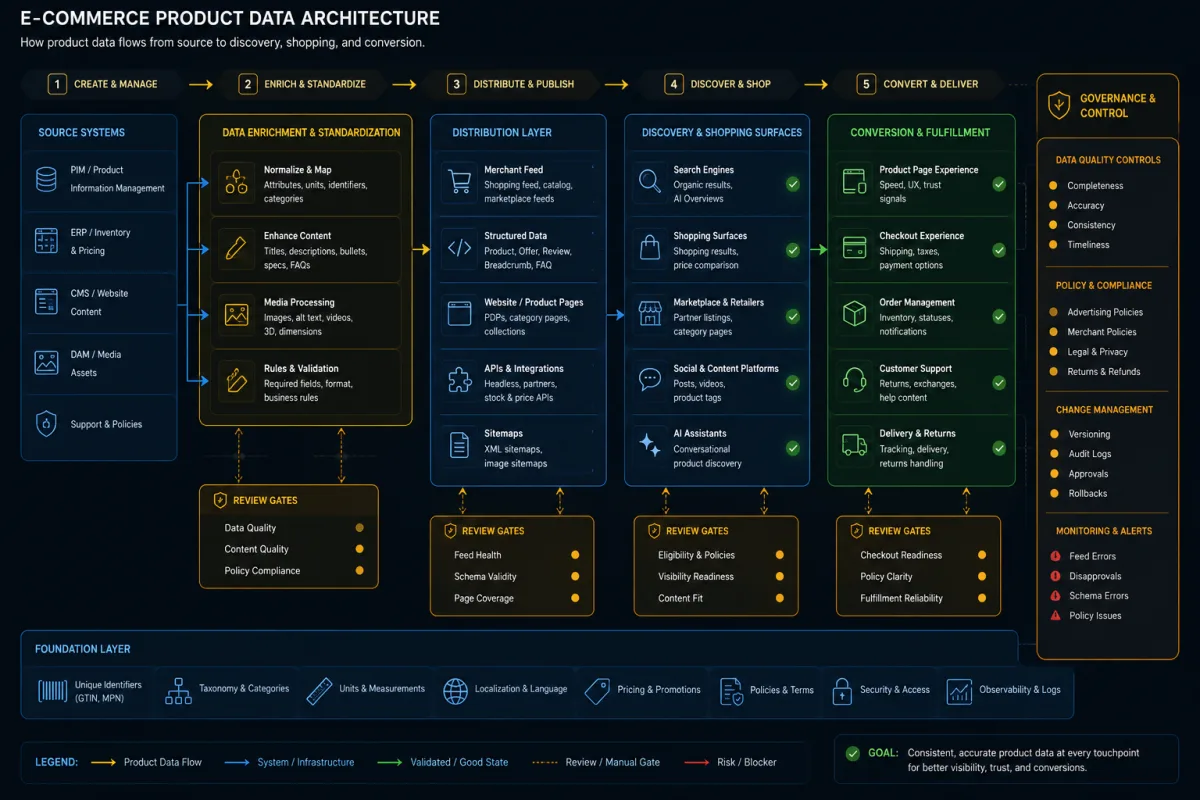
AI bot access has moved from a niche robots.txt question into a practical SEO, security, and ecommerce operations issue.
OpenAI now documents several different crawler and user-agent patterns, including OAI-SearchBot for ChatGPT search visibility, GPTBot for training-related crawling, OAI-AdsBot for ad landing page validation, ChatGPT-User for user-triggered actions, and signed ChatGPT agent requests that can be verified and allowlisted at the edge.
That does not mean every AI bot should be allowed everywhere.
It means the old binary policy of "block AI" or "allow AI" is too blunt. A useful policy separates discovery, training, user-triggered access, shopping research, ads validation, and protected account surfaces. For technical SEO teams, the job is to make public, useful pages accessible while keeping private, staging, checkout, account, admin, and sensitive data surfaces protected.
This article gives a practical workflow for doing that without making fake promises about AI visibility.
Why AI Bot Access Is Now an SEO Issue
ChatGPT search can cite and link to web sources, and OpenAI's crawler documentation says OAI-SearchBot is used to surface websites in ChatGPT search features. OpenAI also states that allowing OAI-SearchBot is important for inclusion, while placement is not guaranteed.
That matters for SEO because access policy can now affect more than classic search crawlers. A site may be fully crawlable by Googlebot but unavailable to an AI search crawler because of robots.txt, IP rules, WAF bot scoring, or CDN bot management. The reverse can also happen: a site may accidentally allow broader AI crawling than the business intended.
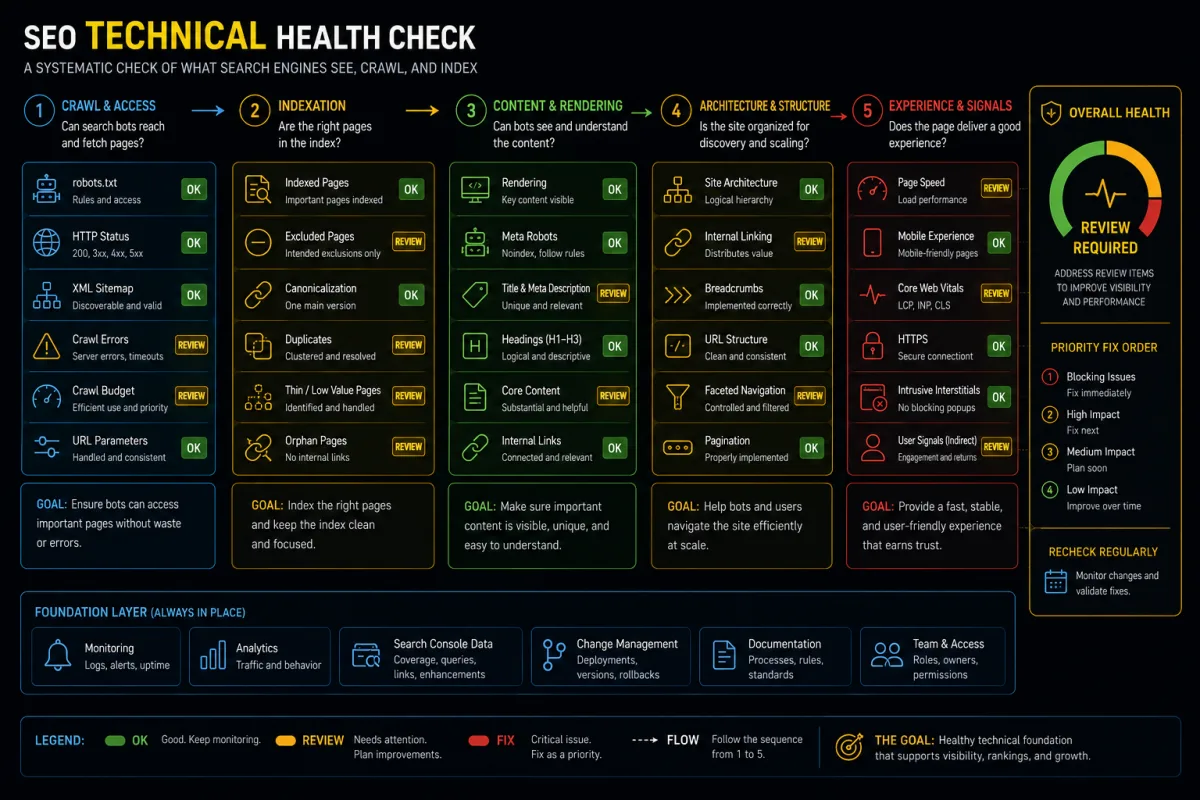
Google's guidance is still a useful baseline: generative AI search experiences are rooted in core Search systems, and technical requirements still matter. The practical takeaway is boring but important: useful content, crawlable pages, indexability, structured data, page performance, and clear architecture still matter. AI bot access does not replace technical SEO. It adds another layer of access governance.
For a founder, ecommerce operator, or marketing lead, the decision is not "do we want AI traffic?" The decision is:
- which public pages should be discoverable;
- which bots and agents should reach those pages;
- which protected areas must stay unavailable;
- how to verify authentic traffic;
- how to monitor what changed after a CDN, CMS, WAF, or robots.txt update.
The Wrong Approach: Allow All or Block All
Both extremes create avoidable problems.
Blocking every AI-related user agent may reduce exposure in AI search and shopping experiences. It may also block user-triggered requests where a real person asked an assistant to inspect a page.
Allowing every AI-related user agent everywhere is worse. Robots.txt is not a security control. Google's robots.txt documentation is explicit that robots.txt manages crawler access and crawl load, but it is not a reliable way to hide private content. Sensitive URLs need authentication, authorization, noindex where relevant, and server-side protection.
The right approach is access segmentation.
| Access type | Typical purpose | SEO decision | Security decision |
|---|---|---|---|
| OAI-SearchBot | ChatGPT search discovery | Usually allow public indexable pages | Block private and staging areas |
| GPTBot | Training-related crawling | Business policy decision | Block private and sensitive areas |
| ChatGPT-User | User-triggered actions | Allow public pages if server capacity allows | Verify logs and protect account flows |
| ChatGPT Agent signed requests | Agent actions on behalf of a user | Allow only intended public or transactional flows | Verify signatures or trusted CDN bot identity |
| OAI-AdsBot | ChatGPT ad landing page validation | Allow submitted ad landing pages | Keep non-ad private areas protected |
| Unknown AI bots | Varies | Do not assume SEO value | Treat as untrusted until reviewed |
This matrix is not a universal rule. It is a starting point for a documented policy.
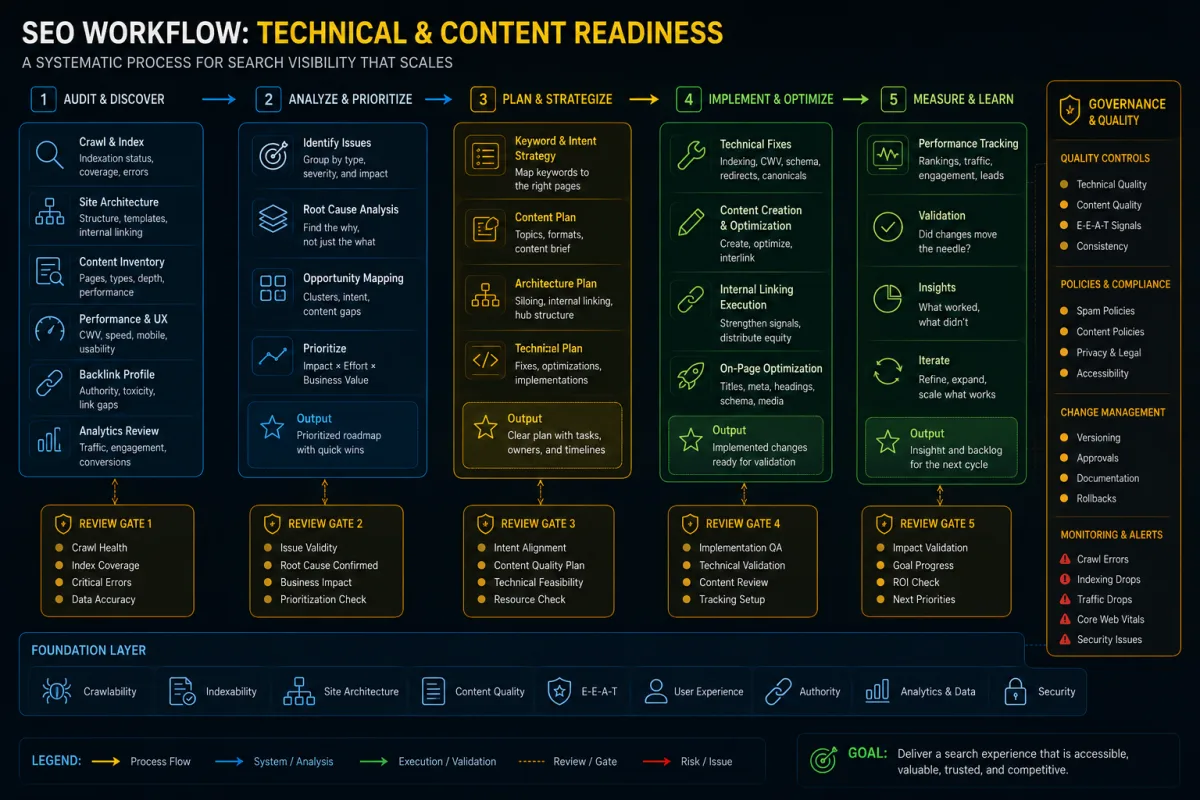
The ChatGPT and OpenAI Access Audit Workflow
1. Separate bot types by purpose
Do not write one rule called "AI bots."
Start by documenting the user agents and access types you actually care about:
- search discovery bots;
- training crawlers;
- user-triggered agents;
- ad validation bots;
- shopping research access;
- generic third-party AI crawlers;
- unknown or spoofed bots.
OpenAI's crawler documentation separates OAI-SearchBot, GPTBot, OAI-AdsBot, and ChatGPT-User. OpenAI's ChatGPT agent allowlisting documentation also explains signed outbound requests for ChatGPT agent traffic. These are different technical and business cases.
For SEO, the most important split is usually this:
- OAI-SearchBot affects eligibility for ChatGPT search inclusion.
- GPTBot is a training-data policy decision.
- ChatGPT-User and ChatGPT Agent are often closer to user-triggered access and should be reviewed with security and product teams.
- OAI-AdsBot matters only if the business submits landing pages for ChatGPT ads.
2. Map which pages should be accessible
Before editing robots.txt or WAF rules, classify URL groups.
Use a simple page access inventory:
| URL group | Examples | Recommended AI access posture |
|---|---|---|
| Public service pages | /services/seo, /services/ai-search | Allow search discovery and user-triggered access |
| Public blog posts | /blog/... | Allow search discovery and user-triggered access |
| Ecommerce product pages | /products/... | Allow if price, availability, and variant data are stable enough |
| Paid landing pages | /lp/... | Allow only if submitted for ads and safe for automated validation |
| Checkout | /checkout, payment steps | Do not broadly crawl; allow only explicitly designed agent flows |
| Account pages | /account, /orders | Require authentication and authorization |
| Admin and CMS | /admin, /wp-admin, preview URLs | Block and protect server-side |
| Staging and QA | staging.example.com | Password protect; do not rely on robots.txt |
| Internal search results | ?q=, faceted URLs | Review case by case to avoid crawl traps |
This is where SEO and security need the same spreadsheet. If the SEO team only sees robots.txt and the security team only sees WAF logs, the site can end up with contradictory rules.
3. Review robots.txt, WAF, CDN, and firewall rules together
Robots.txt and WAF rules solve different problems.
Robots.txt expresses crawl preferences to compliant crawlers. It does not authenticate bots and it does not secure private data. WAF, CDN, and firewall rules can block or allow traffic at the edge, but they may also block legitimate bots by accident.
For each bot type, check:
- robots.txt directives;
- CDN bot management settings;
- WAF custom rules;
- firewall IP allowlists or blocklists;
- reverse proxy header preservation;
- rate limits;
- login and checkout protections;
- server logs after rule changes.
The most common SEO failure is not a deliberate block. It is a security tool silently classifying a legitimate crawler or signed agent request as suspicious. The most common security failure is allowing a public crawler rule to bleed into areas that should require authentication.
4. Use signed-request and allowlisting features carefully
OpenAI documents that ChatGPT agent signs outbound HTTP requests and that the request can include signature-related headers and a Signature-Agent value. OpenAI also documents allowlisting paths for platforms such as Akamai, Cloudflare, HUMAN, and Vercel.
The SEO lesson is not "turn it on everywhere."
The practical use is to avoid false positives for traffic you intentionally want to allow. For example:
- a public product page should not be blocked by an aggressive bot rule;
- a public service page should be reachable when a user asks an assistant to evaluate providers;
- an ad landing page should be available to validation traffic if it has been submitted for ads;
- a protected account page should still require authentication.
If a CDN or WAF can verify the agent for you, document that rule. If you are doing custom verification, make sure intermediate proxies preserve the relevant headers. Then test the behavior instead of trusting the configuration screen.
5. Check logs before changing policy
Before you change access rules, pull a baseline.
Review 14 to 30 days of logs if available:
- user agent;
- IP range or ASN where relevant;
- request path;
- status code;
- edge decision;
- robots.txt hits;
- crawl frequency;
- cache status;
- blocked request reason;
- response size;
- server errors.
Then group requests by page type. One bot hitting public blog posts is not the same risk as a bot hitting checkout, account, API, or preview URLs.
The best output is a decision table:
| Bot or agent group | Public pages | Product pages | Checkout | Account | Admin | Decision |
|---|---|---|---|---|---|---|
| OAI-SearchBot | Allow | Allow if public | Block | Block | Block | SEO allow, security constrained |
| GPTBot | Business decision | Business decision | Block | Block | Block | Policy review |
| ChatGPT-User | Allow public | Allow public | Review | Auth required | Block | Monitor |
| Unknown AI bot | Review | Review | Block | Block | Block | Do not allowlist |
This table gives founders and operators a clearer decision than a raw bot log.
6. Protect private, staging, and admin surfaces
Robots.txt is not enough for private content. Do not put sensitive URLs in robots.txt and assume that makes them safe.
Use server-side controls:
- authentication for account and admin pages;
- authorization checks for user-specific data;
- password protection for staging;
- noindex where a public page should not appear in search;
- rate limits and abuse controls;
- cache rules that avoid leaking personalized content;
- monitoring for unexpected 200 responses on protected paths.
This is especially important for ecommerce and SaaS websites. A shopping assistant being able to read a public product page is different from being able to inspect a cart, saved address, order history, invoice, or internal price rule.
7. Validate access after every change
Treat AI bot access like a release checklist item.
After changing robots.txt, CDN, WAF, or firewall policy, validate:
- important public URLs return 200 to intended crawlers and agents;
- private URLs remain inaccessible without authentication;
- robots.txt reflects the policy;
- logs show expected bot behavior;
- rate limits do not block legitimate crawl paths;
- product, service, and landing pages still render essential content;
- structured data and metadata remain available in HTML;
- monitoring alerts catch unexpected access spikes or blocks.
Do this after site migrations, CDN changes, WAF upgrades, CMS rebuilds, new checkout flows, and product feed integrations.
Example: A Safe AI Bot Access Policy
A founder-led ecommerce business might choose this policy:
- Allow OAI-SearchBot to crawl public category, product, guide, and comparison pages.
- Allow ChatGPT-User and verified ChatGPT Agent traffic to public pages and explicitly designed product discovery flows.
- Allow OAI-AdsBot only on submitted ad landing pages.
- Disallow GPTBot if the business does not want product content used for training.
- Block all AI bot access to account, cart, checkout, admin, internal search, preview, and staging URLs unless a specific authenticated agent workflow has been designed and approved.
- Monitor logs weekly for unexpected blocked public pages or allowed protected paths.
That policy is not anti-AI and not reckless. It is specific.
Risks and When Not to Allowlist
Do not allowlist a bot or agent just because a vendor page exists.
Wait if:
- you cannot distinguish public pages from protected paths;
- staging is publicly reachable;
- product pages show wrong prices, stock, or variants;
- your WAF rules are not documented;
- logs are unavailable;
- checkout or account pages have weak access controls;
- legal or policy teams have not decided on training crawler access;
- the business expects guaranteed AI rankings or traffic.
Also avoid reporting "AI traffic growth" unless you can explain the source, user agent, attribution limits, and measurement method. AI search and agent traffic are still messy to measure.
The Bottom Line
ChatGPT Agent allowlisting is not a magic SEO tactic. It is access governance.
Good AI search readiness starts with the same fundamentals as good technical SEO: public pages that can be crawled, clear content, stable metadata, structured data where relevant, fast pages, and no accidental blockers. The new layer is deciding how each AI crawler, user-triggered agent, shopping surface, and ads validator should interact with your infrastructure.
For Lemon SEO clients, this fits naturally into technical SEO, AI Search/GEO, PPC landing page QA, ecommerce SEO, and SEO-first web development. The work is not to "open the site to AI." The work is to make the right pages accessible, keep sensitive areas protected, and document the policy well enough that a future release does not undo it.
For AI Search context, review the GEO citation growth case as an example of source and access readiness work without claiming guaranteed AI visibility. Read the related case context.
Continue with ChatGPT product feed readiness, ChatGPT ads landing page readiness, and SEO Tools + MCP for Claude Code and Codex.